Swift apps on Chorus.com
Install Hello World
com.cursor.helloworld
This app is ready for your iPhone.
Tap Install App, confirm the popup on your iPhone, then look for the app on your Home Screen or in App Library. Safari works best.

Step by step
Follow the install steps at your own pace
Open each step only when you need it. The full walkthrough video is inside the first dropdown.
Video walkthrough
Tap Watch in PiP to keep the tutorial floating while you switch between Safari and Settings.
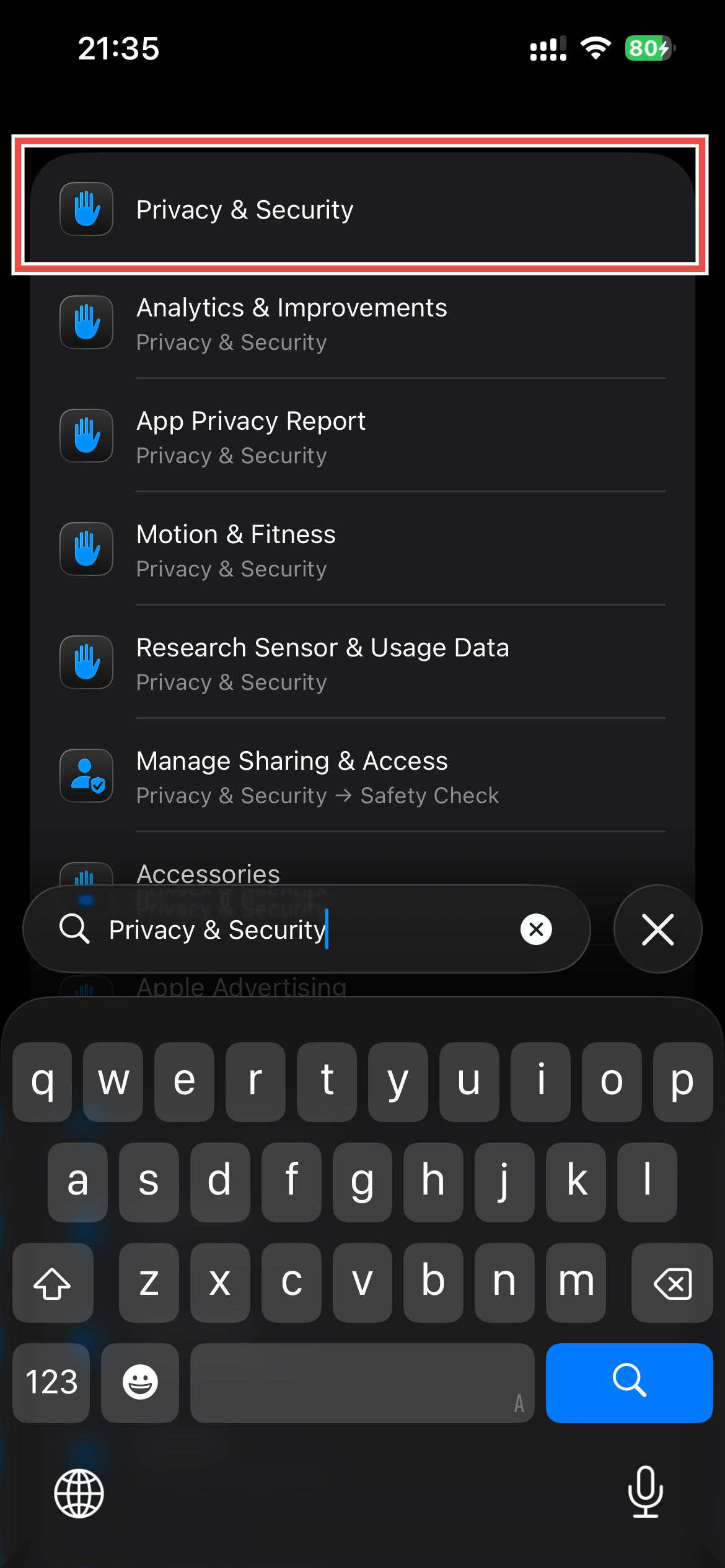
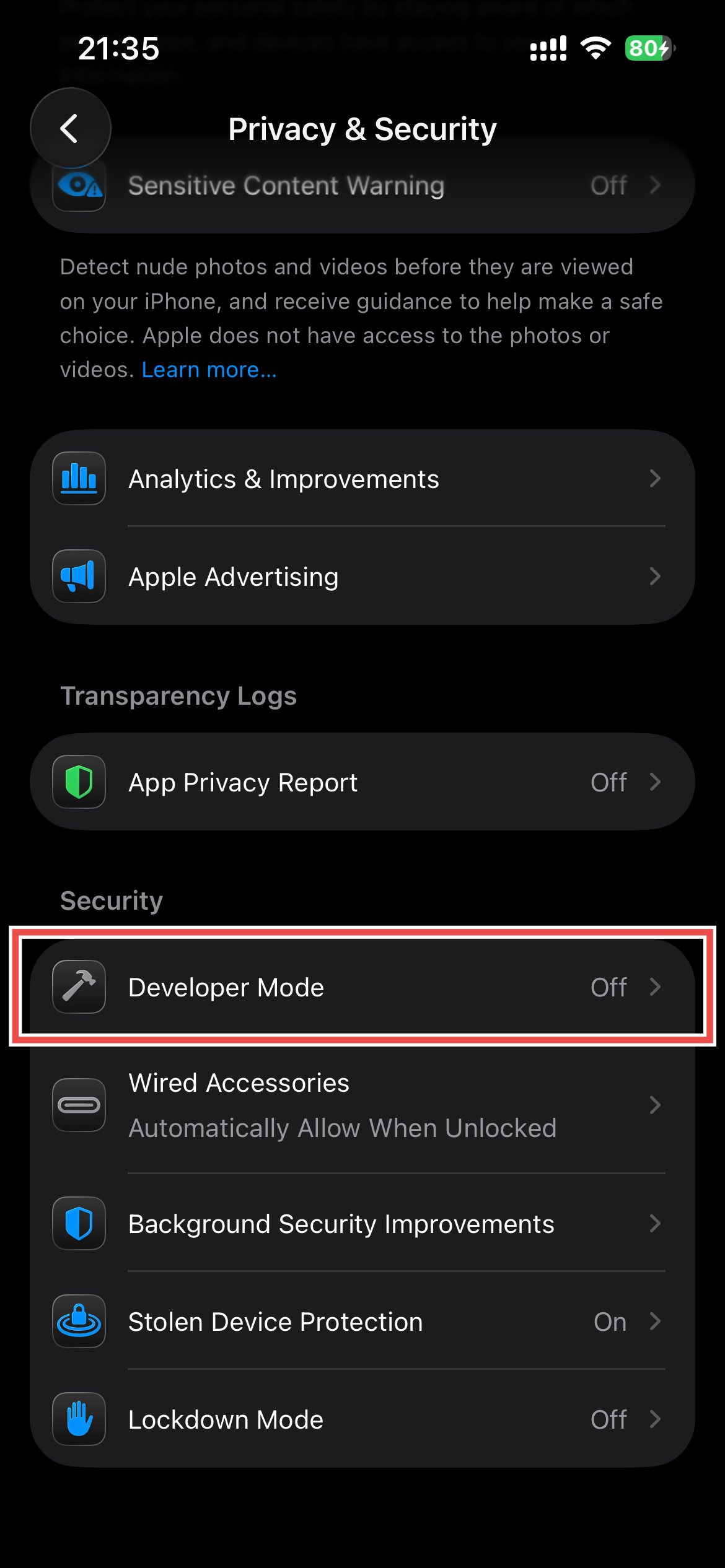
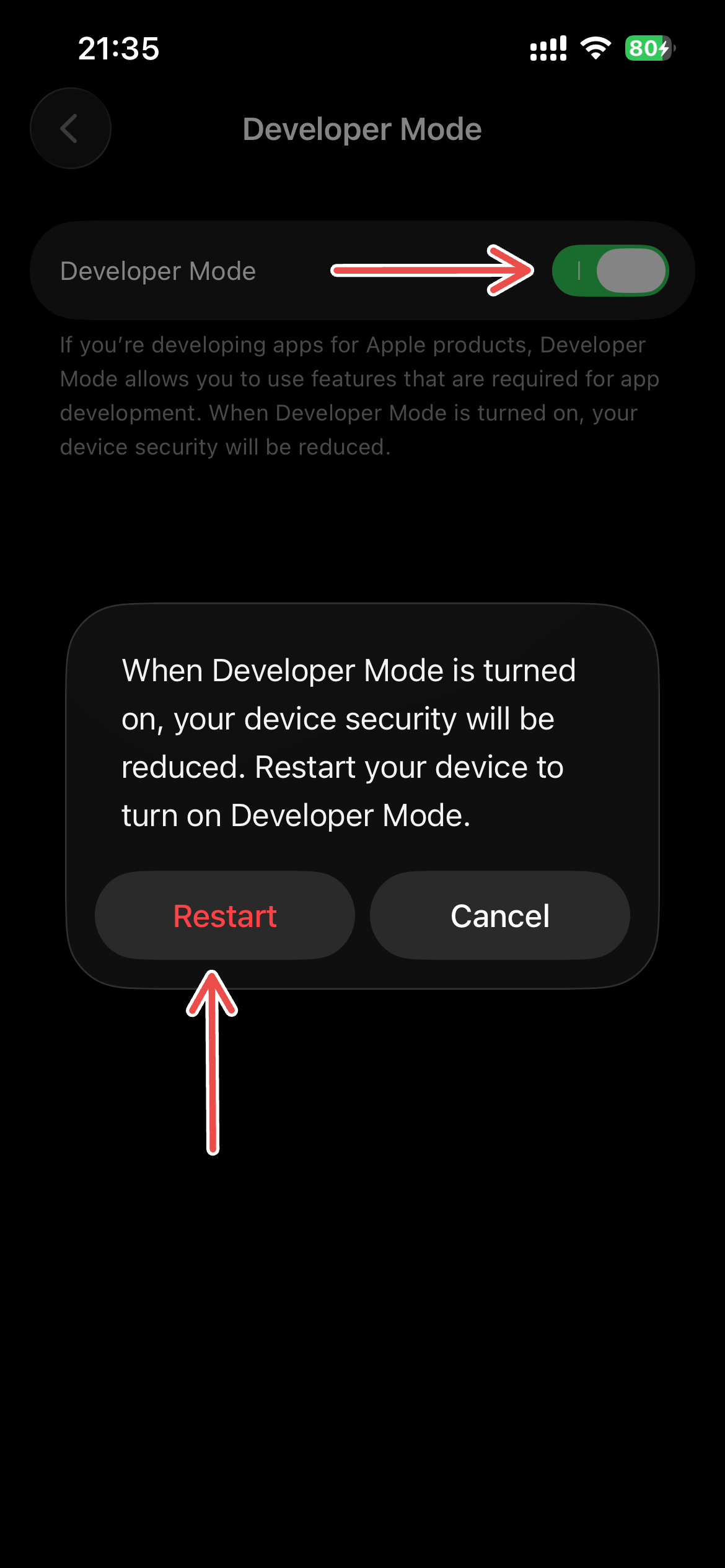
Do this before you install the app. Your iPhone will restart once while Developer Mode turns on.
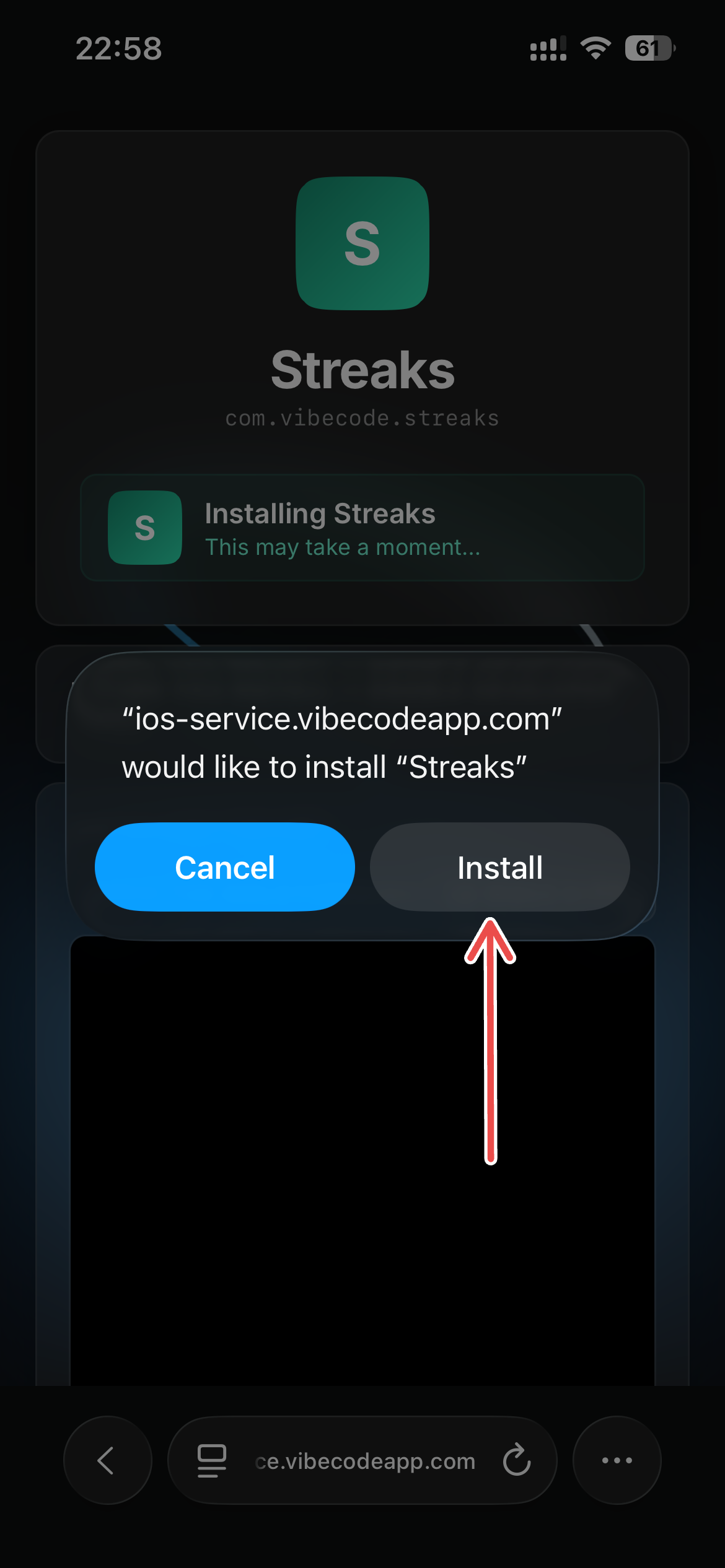
Tap Install App on this page, then confirm the iPhone popup that appears. If another browser shows a warning, Safari is the easiest path.
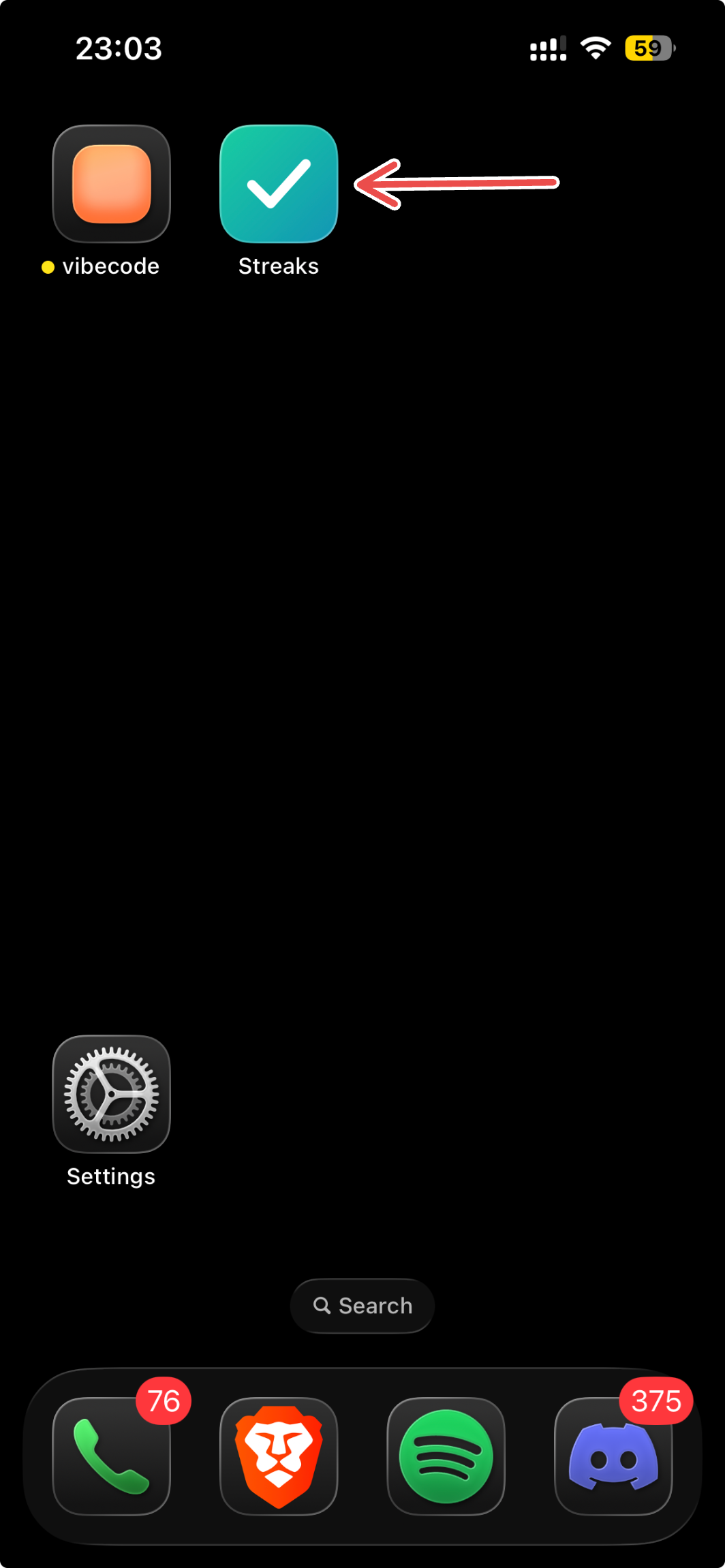
Once the install starts, the app will appear like a normal app icon. If you do not see it right away, open App Library or search for Hello World.
If the app refuses to open and shows "Untrusted Developer", trust the developer certificate once and the app should open normally after that.